Logging
VOSS RT is capable of various types of logging:
Also on this page:
 MENU > Operation
Settings > Logging or:
MENU > Operation
Settings > Logging or:
Keyboard: F1 >
Logging
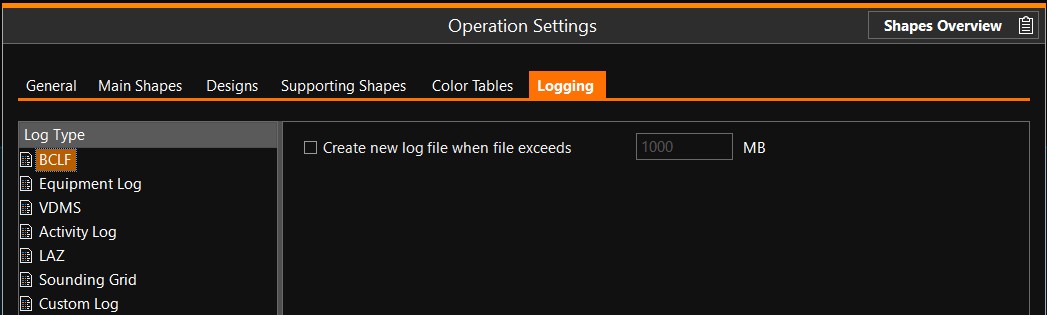
Control of all log file types is outside VOSS RT, it is handled in the Equipment Editor of VOSS.NET. Raw data log and Equipment log are always on. Depending on logging settings, control is in place to avoid disk space problems: the oldest files will be deleted automatically.
Raw Data Log
The Raw Data Log files log all incoming and outgoing data, it is the
most complete and extensive type of log. Raw data log files can be replayed
in the Replay Operation Mode of VOSS RT. The files are stored in the SDM Survey Data Manager - the database that manages and carries the total set of your data..
Equipment Log
File extension: *.elog
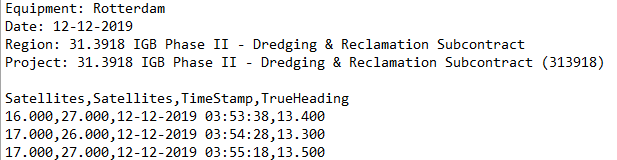
The equipment log is a standardized log file that contains the most important items. The time interval is defined outside VOSS RT in the Equipment Editor of VOSS.NET. The files are stored in the SDM and when exported they are in text format.
The file can serve as a track file of your vessel.
Example of TSHD Trailing Suction Hopper Dredger Rotterdam:

VDMS Log
VDMS (=Vessel Data Monitoring System) is a special log file for TSHD.
It contains extensive information of many parameters involved in the different operations by a TSHD.
Activity Log
File extension: *.alc (Activity Log Codes)
The operator of the equipment can select which Activity is currently taking place.
See how to activate this option: Activity.
LAZ
File extension: *.laz (Zipped LASer format)
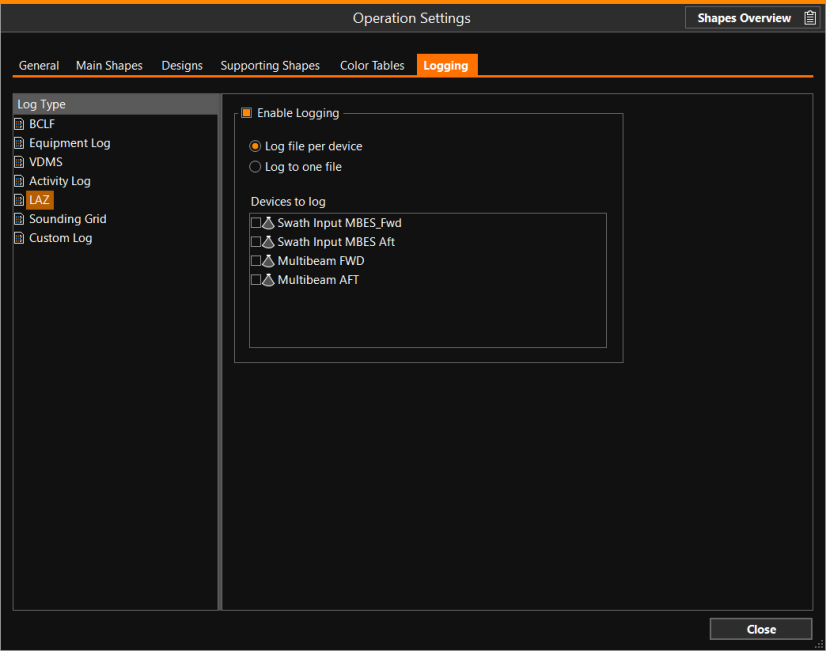
Multibeam and other Swath Input data can be logged to LAZ file (compressed LAS A public file format for the interchange of 3-dimensional point cloud data between data users. An imported LAS file will give you a point cloud surface model with true (RGB) colors. Trimble Business Center generates LAS files from photogrammetry data.). Use the LOG button in the Caption Bar to start logging.
When logging is enabled, the data is logged to a Sounding Grid and also logged to a LAZ file. Stop/Start logging will create a new log file (append is not supported). File size of the LAZ files is very small (more than 10x smaller than point clouds, 2-3 bytes per point).
This logging tab is currently only visible for fallpipe vessels, offshore construction vessels, shallow water pipe lay barges and multi-purpose support vessels.
The LAZ items are only visible when applicable (hidden if there are no swath input devices).
Sounding Grid
File extension: *. grd
The Sounding Grid items are only visible when applicable (hidden if there are no swath input devices).
Use the LOG button in the Caption Bar to start logging.
Custom Log(s)
File extension: *.clog
Custom logs are types of log files that can be set up by the surveyor
in the Equipment Editor Part of the VOSS.net software package, in which all parameters, dimensions, layout, arms, heads and interfacing with other equipment can be defined, normally by the surveyor. of VOSS.NET.
These types of files are useful in case a log file is needed with only some specific items, for example by demand of a client.
Example:
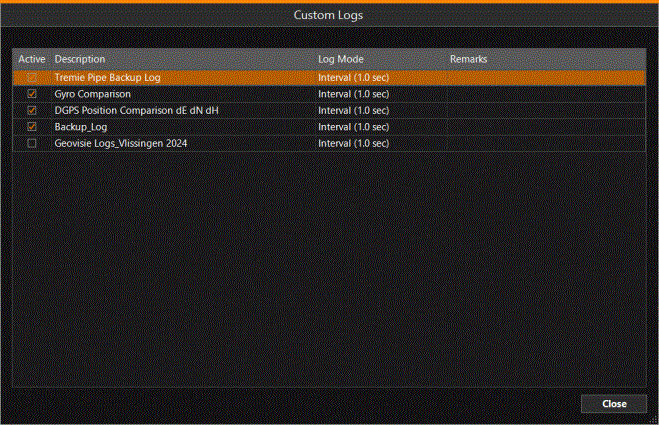
Custom Logs that only need to be active for certain periods can be activated / deactivated using the tick boxes:
Export Log Files
To export all types of log files use the Export Package option.
Start Logging
Turn on the Log Data option in the Quick Access menu, or click on the button in the Caption Bar  .
.