Sounding Grid
One of the important developments for the Qinsy Qontrol project was the logging of Grid A type of DTM that is made manageable through sampling measured points into a regularly spaced raster, allowing fast and conditional access. Considered to be a secondary data set; since no original points are kept.. model data in a separate sounding grid. This functionality is also available without the use of Qinsy Qontrol.
Once a Swath Input device is defined in VOSS.NET's Equipment Editor Part of the VOSS.net software package, in which all parameters, dimensions, layout, arms, heads and interfacing with other equipment can be defined, normally by the surveyor., the incoming data can be recorded in a Sounding Grid.
Multibeam data will be logged into this sounding grid once recording is enabled.
The Sounding Grid is one of the Main Shapes.
Under Main Shapes A geometric entity or a collection of such entities. Each entity is described by basic geometry such as a point, a line or an arc. Examples of shapes are: Route, Centerline, Waypoints, Fix Set, Dump Boxes, Progress Grid Model, Designs, etc. the Sounding Grid is specified:
 MENU > Operation
Settings > Main Shapes > Sounding Grid or:
MENU > Operation
Settings > Main Shapes > Sounding Grid or:
Keyboard: F1 >
Main Shapes > Sounding Grid
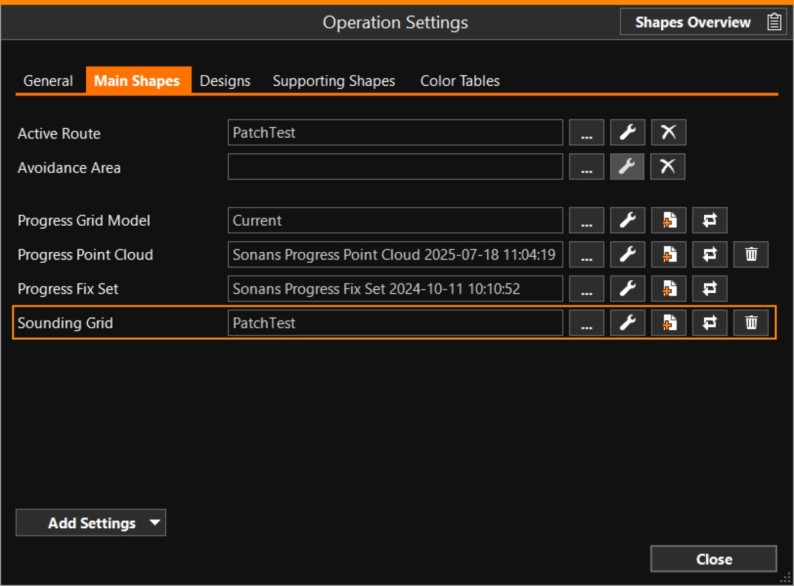

Click [...] to select your Sounding Grid
Click [spanner] to adapt the way the Sounding Grid is shown in Section views
Click [Create new sounding grid] to create a new empty Sounding Grid
Click [Update history] to inspect the history of survey updates that have been applied to the grid
In the Top View - Toolbar buttons, there is a button to control whether the Sounding Grid or the Progress Grid is to be drawn on top.