Navigate to here (Bullseye)
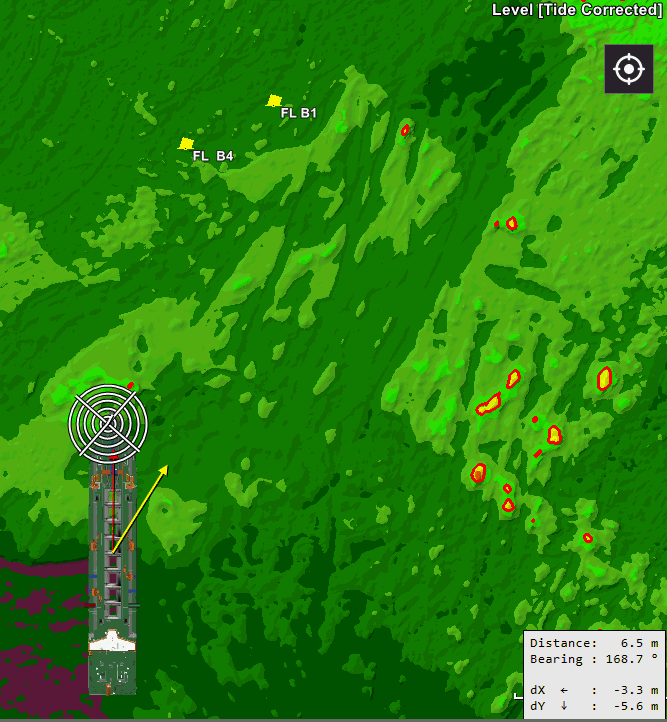
Navigate to here (Bullseye) will draw a Bullseye target at the local point on your vessel that is active for Homing Line.
For example during manoeuvring the vessel into the correct position
for coupling of a TSHD Trailing Suction Hopper Dredger to a floating pipeline. Distance, bearing and the
distance along the ship (dY) and PS/SS (dX) are updated constantly.
Trailing Suction Hopper Dredger to a floating pipeline. Distance, bearing and the
distance along the ship (dY) and PS/SS (dX) are updated constantly.
On this page:
Navigate to here
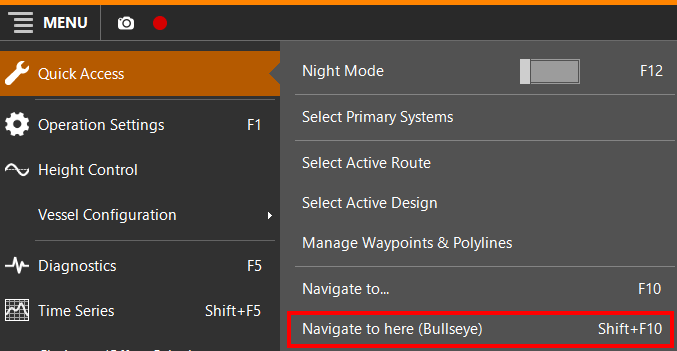
Navigate to here (Bullseye) is engaged as follows:
 MENU > Quick Access > Navigate
to here (Bullseye) or:
MENU > Quick Access > Navigate
to here (Bullseye) or:
Keyboard: Shift+F10
Note: Navigate to here (Bullseye) is closely related to option Navigate to...
Navigate to - Settings
The way the Homing Line, the Target Circles and the Target Info box are shown, are set in this dialog.
See page: Navigate to - Settings