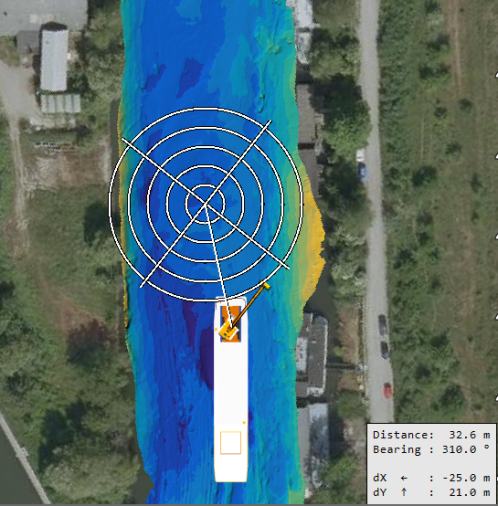
Navigate to - Settings
These settings are used for two Quick Start options:
Enter the settings here:
 MENU > Operation
Settings > General > Navigate to, or:
MENU > Operation
Settings > General > Navigate to, or:
Keyboard: F1 >
General > Navigate to
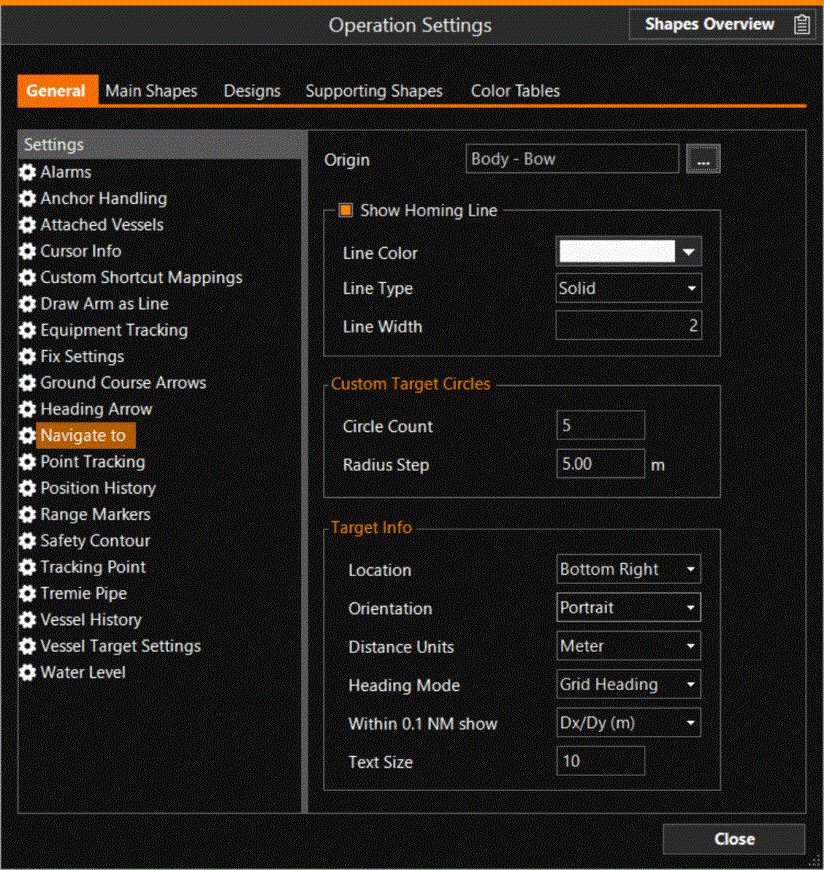
Origin - Choose the point on your equipment from where 'Navigate to' is calculated and the Homing Line is drawn
Show Homing Line - Enter settings for the Homing Line
Custom Target Circles - If the Target is a Custom type, circles can be drawn around the Target
Target Info - The information box with Target name, Range and Bearing to the Target , Time to go and ETA can be customized with these settings.