Fix Event
A Fix Event or Fix, is a unique marker that stores the position, height, Fix number, date and time of a chosen location on your equipment, at the moment the operator raises that Fix.
Fixes are stored in the Progress Fix Set.
On this page:
Raise Fix Event
Raise Fix Event means generate or make a Fix. A Fix can be raised by pressing F9 on the keyboard or, if you have a switch pedal installed, by pressing the pedal.
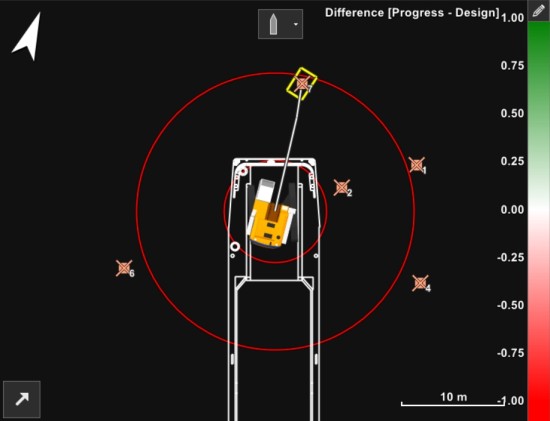
The Fixes are shown in brown here, with a number.
Remove Last Fix
The last Fix can be removed from the Top View and from the Progress
Fix Set A shape file that can contain fixes and/or targets. Targets are points (positions defined by an X and an Y co-ordinate) to be used in VOSS RT, for operators to perform certain actions on each target. For example, place a block, drop an anchor, install a vertical drain. In VOSS RT, at the moment of installation, automatic or manually a fix can be logged, that contains the actual co-ordinates, date & time and other parameters. as follows:
 MENU > Quick Access > Remove Last
Fix, or
MENU > Quick Access > Remove Last
Fix, or
Keyboard: Shift + F9
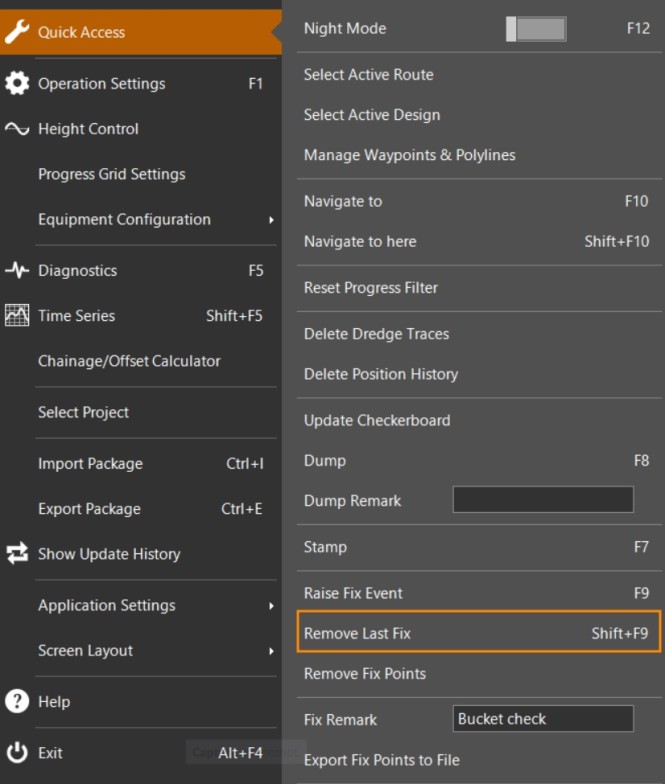
Pressing Shift + F9 a few times in a row will delete more fix points.
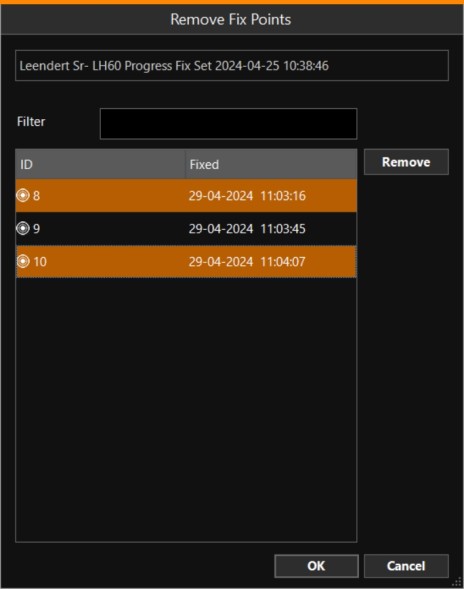
Remove Fix Points
A window will open, showing all Fixes. Select which ones to remove, using the button combination Shift+left mouse pointer or CTRL+left mouse pointer.
Click on Remove to delete them from the list, followed by OK.
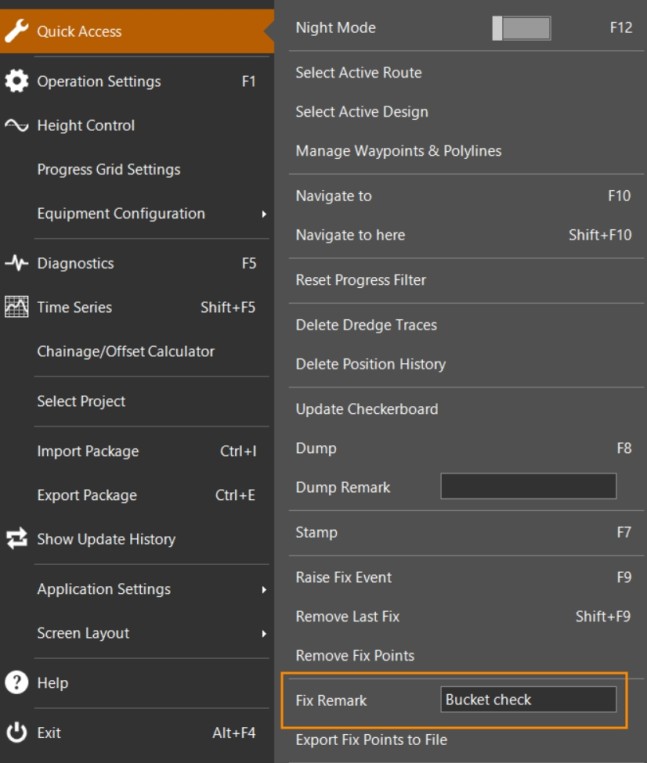
Fix Remark
Whenever a Fix is raised, whatever is written as Fix Remark will be
stored with that Fix.
The remark can be changed in Fix Settings
or here:
MENU > Quick Access > Fix Remark
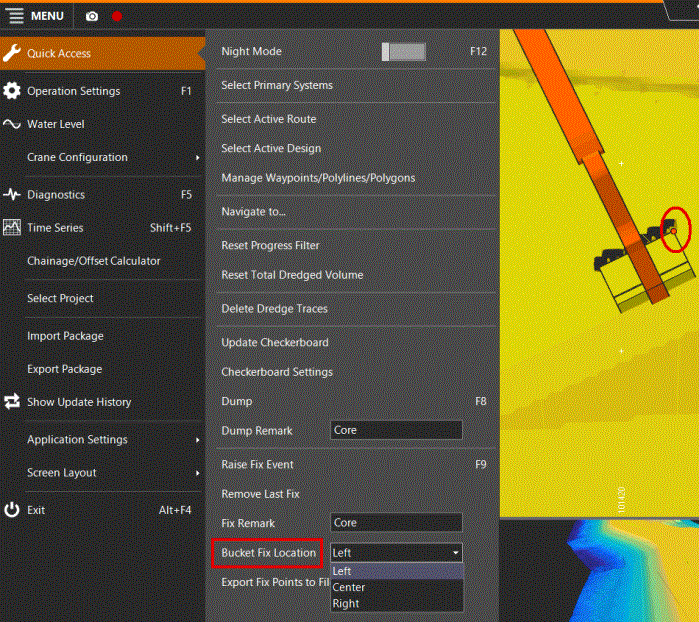
Bucket Fix Location (Center, Left, Right)
In case you have a non-floating equipment and bucket installed, it is possible to select which point of the bucket is used to take fixes: Center, Left or Right (as seen from the operator).
Used, for example, when fixes can not be taken standing with the excavator arm perpendicular to a slope.
To change this selection:
MENU > Quick Access > Bucket Fix
Location
Be aware that under Operation Settings -> General -> Fix Settings
for Fix Offset Point A point consists of an Easting, Northing and Elevation., the Active Head the tool with which Equipment performs operations, for example: drag head of a Trailer Suction Hopper Dredger, the bucket of an excavtor, a plough, Water Injection Dreger bar, etc. must be selected!
The chosen Bucket Fix Location is shown on the bucket with a red dot.