Work Polygons
Work Polygons are usually used to indicate to operators not to work outside certain areas.
The project team should clearly indicate to
operators what part of their equipment should not be located outside the
Work Polygon Plane figures that are bounded by a closed path.(s).
The Work Polygons are defined in VOSS.NET's Shape A geometric entity or a collection of such entities. Each entity is described by basic geometry such as a point, a line or an arc. Examples of shapes are: Route, Centerline, Waypoints, Fix Set, Dump Boxes, Progress Grid Model, Designs, etc. Editor.
Work Polygons can be managed via Main Shapes:
 MENU > Operation Settings > Main Shapes > Work Polygons
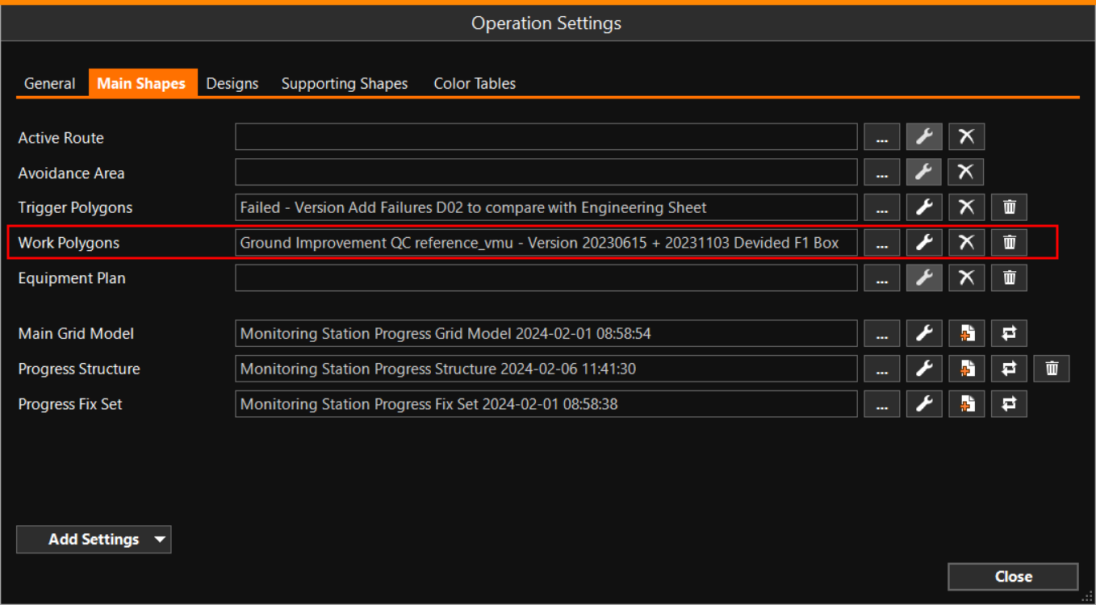
Use the browse button [...] to search for the correct set of polygons.
The shortest distance of the Active Head the tool with which Equipment performs operations, for example: drag head of a Trailer Suction Hopper Dredger, the bucket of an excavtor, a plough, Water Injection Dreger bar, etc.(s) is calculated by the software
and can also be displayed as a numerical value in the Numerics view.
An alarm can be defined for
this distance(s).