User Polygon
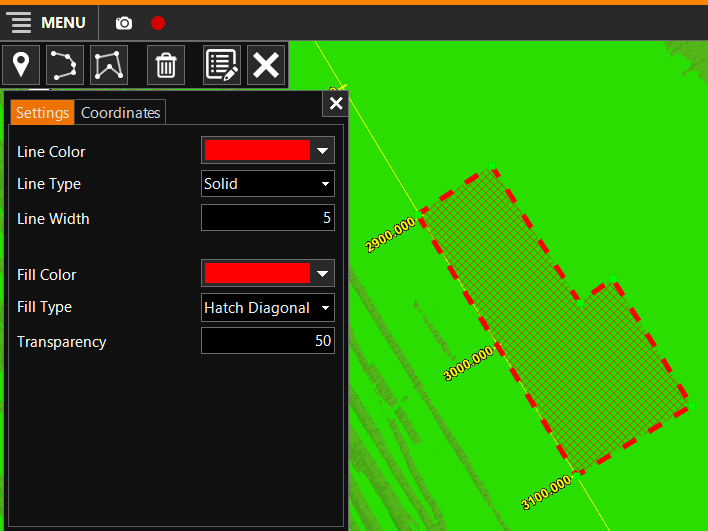
The user can define Polygons in the Drawing Mode. Polygons are closed areas consisting of various line segments.
On this page:
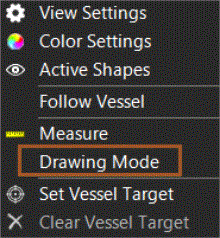
Start Drawing Mode
 Right mouse click in
Top View > Drawing Mode
Right mouse click in
Top View > Drawing Mode
Insert User Polygon
Click on the Polygon Icon:

You can either draw the Polygon graphically by clicking points in the Top View, or you can type in the co-ordinates and use Add to add more points.
Edit User Polygon
To Edit a User Polygon first Start Drawing Mode
Select a Polygon:
-
graphically: look up the Polygon in the Top View and double click on it
-
from a list, click on
 and select the Polygon
to edit.
and select the Polygon
to edit.
To adjust the location of points of the Polygon, click on them once and adjust the co-ordinates in the list, or double click a point and move it graphically.
Delete User Polygon
See: Delete User Waypoint, Polyline or Polygon