Progress Filter
The Progress Filter is related to the Progress Grid Model. It is mostly used by Backacters.
The Progress Filter gives you the option to only show the Progress Grid A type of DTM that is made manageable through sampling measured points into a regularly spaced raster, allowing fast and conditional access. Considered to be a secondary data set; since no original points are kept..
Model where you worked since you gave a Reset
Progress Filter instruction.
A type of DTM that is made manageable through sampling measured points into a regularly spaced raster, allowing fast and conditional access. Considered to be a secondary data set; since no original points are kept..
Model where you worked since you gave a Reset
Progress Filter instruction.
It only applies to the Top View. Apart from the levels, all cells of the Progress Update Model also keep a record of Date and Time of the level in each cell. Cells are updated either by survey information or by passes of your own head.
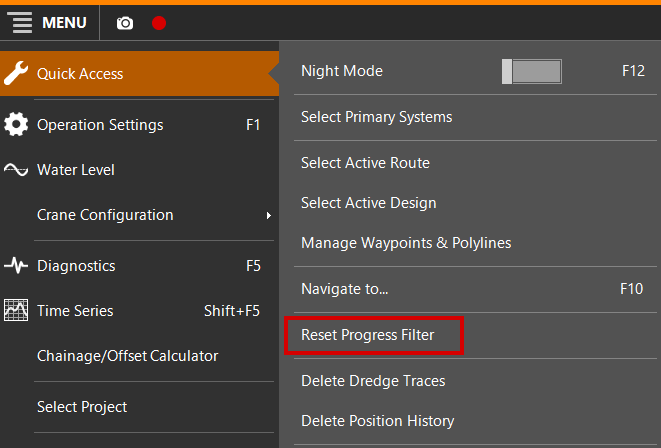
Reset Progress Filter
When you use this option, all cells of the Progress Grid Model The Grid Model that will show the current levels in your working area. It is updated by survey updates and by your head(s) (Dredgehead, bucket, WID bar, plough, etc.) will be
set to the Date and Time at that moment. And if the Progress Filter is
on (see Progress
Filter On / Off below) you will first have an empty screen: no Progress Grid Model A type of DTM that is made manageable through sampling measured points into a regularly spaced raster, allowing fast and conditional access. Considered to be a secondary data set; since no original points are kept..
levels are visible.
Once you start digging and thus updating the Model, you will only see the colors where you updated since you Reset the Progress Filter.
 MENU > Quick Access > Reset Progress
Filter:
MENU > Quick Access > Reset Progress
Filter:
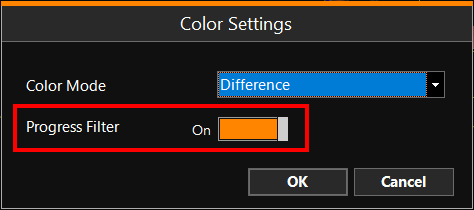
Progress Filter On / Off
To switch the Progress Filter on or off:
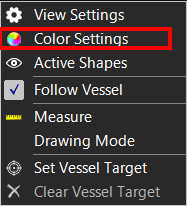
Right mouse click
Top View > Color Settings