Measure Info
Which fields to display in the Measure box, can be configured.
 MENU > Operation
Settings > General > Measure Info
MENU > Operation
Settings > General > Measure Info
The default selection is normally on, but can be tuned to the operator’s needs.
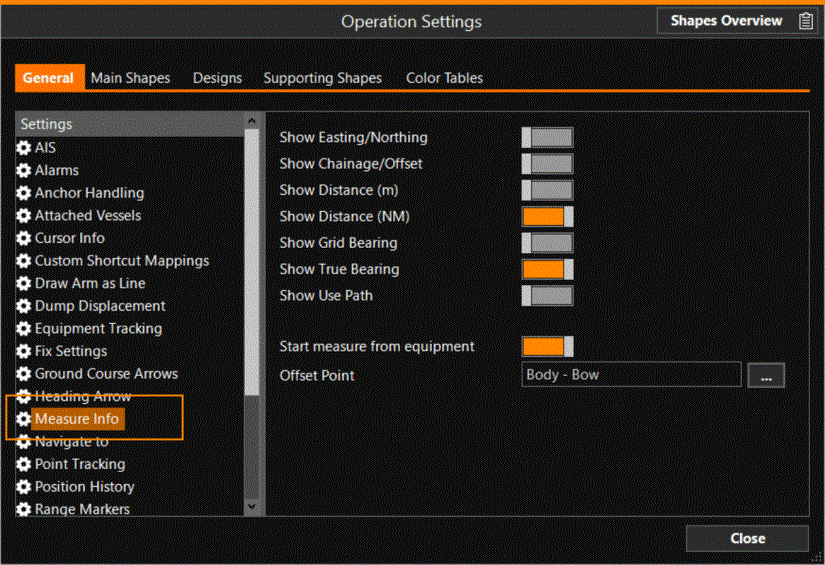
When you start measuring, the start position is by default taken from the Origin of the equipment. Use ‘Start measure from equipment’ to change this.
When enabled, the measure line will start from the selected Offset Point A point consists of an Easting, Northing and Elevation. on the equipment and only the end needs to be selected by you.
This allows a quick measure from e.g. the bow-coupler to the multi-cat.
When ‘Start measure from equipment’ is disabled, you will need to select the start point of the measure by clicking in the Top view.