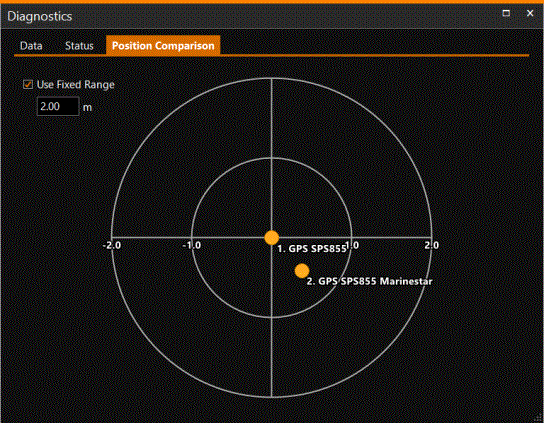
Position Comparison
To compare two or more positioning systems, go to Position Comparison via:
 MENU > Diagnostics
> Position Comparison or:
MENU > Diagnostics
> Position Comparison or:
Keyboard: F5 >
Position Comparison
The position of the Primary Position system will be put in the center of the range circles. The other position system(s) will be shown relative to the Primary.