Lock / Unlock keyboard
To avoid that accidentally touching the keyboard will influence VOSS RT, the keyboard can be locked.
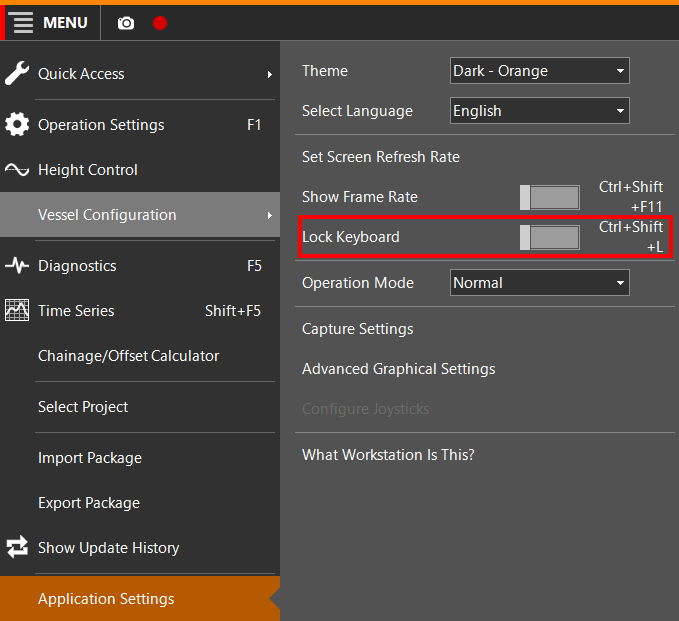
To lock or unlock the keyboard:
 MENU > Application
Settings > Lock Keyboard or:
MENU > Application
Settings > Lock Keyboard or:
Keyboard: Ctrl+Shift+L
When the keyboard is locked, a keyboard symbol is shown on the Top Right part of VOSS RT.
Clicking on this symbol will unlock the keyboard:
