Ground Course Arrow(s)
The Ground Course Arrow is an arrow in the direction of movement over the ground at a chosen point on your equipment.
You can have more than one Ground Course Arrow on your equipment at the locations you want.
Once defined, you can easily make them Active or Inactive.
On this page:
Show Ground Course Arrow(s)
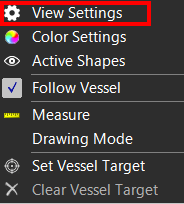
 Right mouse click
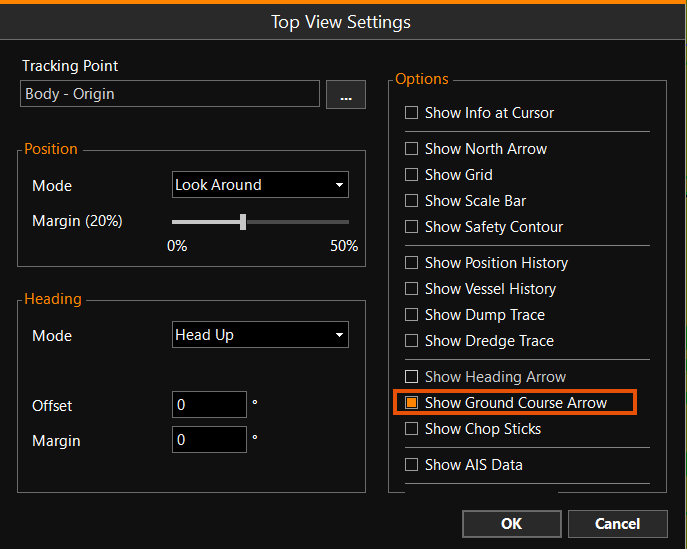
Top View > View Settings > Show Ground Course Arrow
Right mouse click
Top View > View Settings > Show Ground Course Arrow
If you choose to show the Ground Course Arrow(s), all the Active ones will be shown, and if you un-tick 'Show Ground Course Arrow' none of them will be shown.
To change the ones visible, make individual Ground Course Arrows Active or Inactive. See paragraph below.
Ground Course Arrow Settings
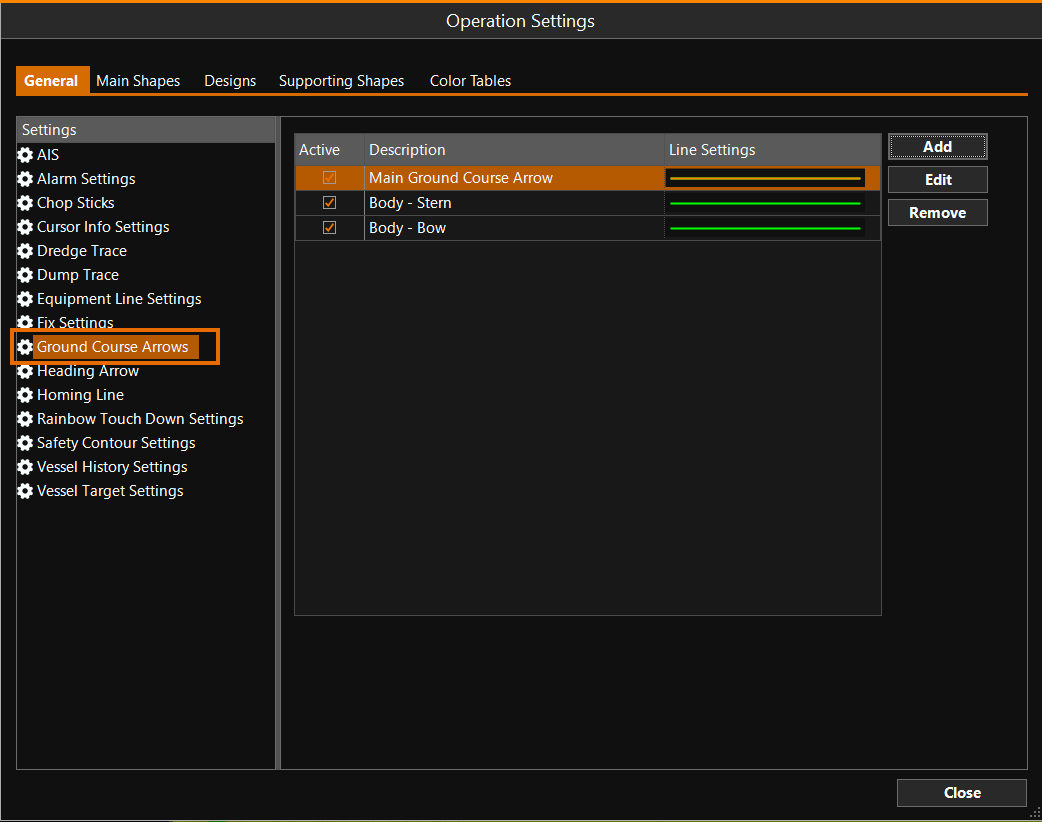
MENU > Operation
Settings > General > Ground Course Arrows or:
Keyboard: F1 >
General > Ground Course Arrows
In this Menu you can switch on and off arrows, Add a new one, Remove one and Edit a Ground Course Arrow.
Ground Course Arrow - Active/Inactive
Ground course arrows can be easily switched on or off, by clicking a tick box in the 'Active' column.
Add Ground Course Arrow
With the 'Add' button a new ground course arrow can be defined, see screen shot below at Edit Ground Course Arrow.
Remove Ground Course Arrow
Defined ground course arrows can be removed from the list: click on the one you want to remove and then click the 'Remove' button.
Edit Ground Course Arrow
Edit will show you the following menu:
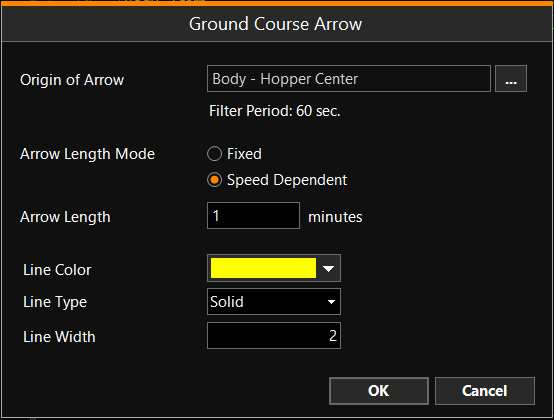
Origin of Arrow - Choose at which local point on your equipment the start of the arrow should be located.
Filter Period - Is for information only and will be chosen by VOSS RT depending on your Equipment In VOSS RT Equipment is the collective name for all marine and land machinery provided with positioning (and attitude devices)..
Arrow Length Mode - You can either chose a Fixed length arrow, or an arrow that changes with Speed over ground.
Arrow Length - Adjust the value to obtain the length that suits your need.
Line Color/Line Type/Line Width - Define here the way the arrow will be displayed on your Top View.