Advanced Graphical Settings
|
Advanced Graphical Settings |
|
|---|---|
|
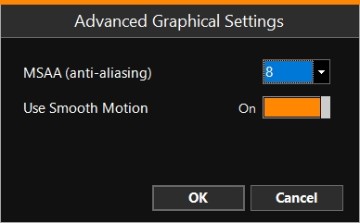
MSAA (anti-aliasing) |
Anti-aliasing is a technique used in digital graphics to smooth out edges and reduce visual distortions, such as jagged lines and pixelation. It enhances visual quality and realism by making curves, lines, and objects appear more natural. It can use quite some computer power to apply on background and equipment drawings, so if you have a slow computer, you may set this setting to a lower value. |
|
Use Smooth Motion |
This is most visible when using Top View's right mouse menu>View Settings>Mode>Relative Motion. |